Cowrywise
GitHub-inspired account security
An account management system designed to tighten unauthorised access and transactions on Cowrywise accounts.
- Role
- Product Designer
- Team
- 1 Designer, 1 Product Manager, 2 Engineers
- Outcomes
- User flow, UI Designs, Icons, Interactive prototypes
About Cowrywise
Cowrywise is one of the leading fintech firms and wealth managers in Nigeria and African. The company offers innovative savings and investment services for personal financial needs and businesses.
Since it’s launch in 2017 and backed by SEC, Cowrywise has gained over a million customers and has an active presence via ambassadors in almost all the campus in the nation.
Cowrywise Future Self Campaign
The Problem
In September 2022, we received a number of reports about unauthorized access to customer accounts. The bad actors often perform illicit P2P transactions, and proceed to delete the compromised accounts.
Working with the CX team, we spoke with affected customers to understand their daily interactions with the app and gather insights on how they handle and store confidential details.
User Feedback and Findings
On analysing customer feedback, we found the following facts,
- - 90% of the affected customers had compromised emails.
- - Many often shared/accessed multiple accounts on the one device.
- - Some recently had their devices stolen.
- - None of the affected customers had 2FA enabled.
Goals
The main goals for I and the team were to
- - ensure only the account owners can access their accounts.
- - provide a seamless experience to account recovery when a device is missing.
- - design a flow that discourages device sharing.
Research and initial considerations
To tackle these problems, I and the team initially turned our attention to 2-Factor Authentication (2FA), a feature already offered on Cowrywise. If enabled, it could potentially eliminate of unauthorized sign-ins and transactions.
However, 2FA adoption has been poor, with less than 20% of customer accounts enabled. After repeated testing, we realised that setting up 2FA was just difficult to downright confusing for the average customer for both operating systems. It did not also help that a customer needed to install another app.
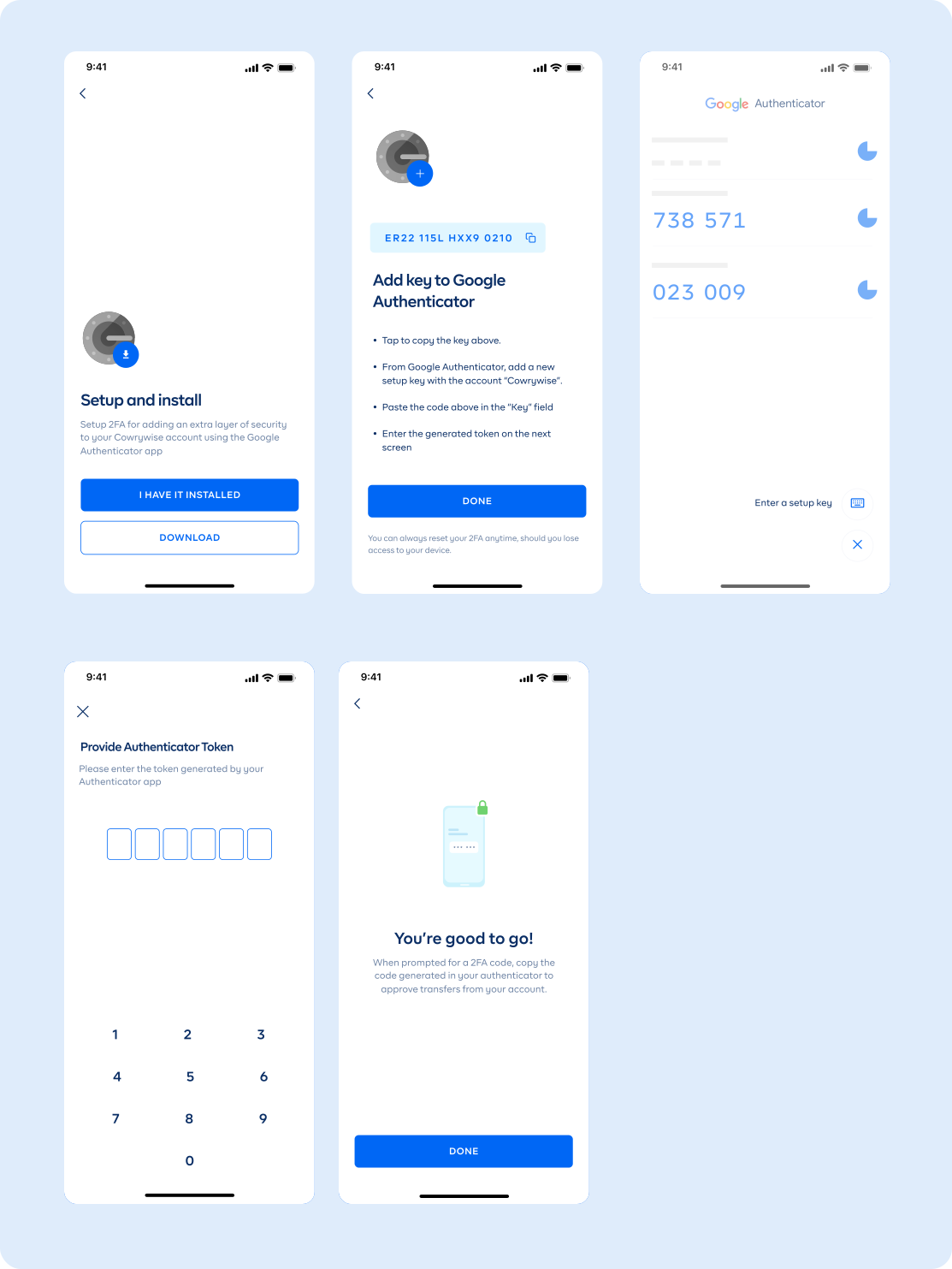
Cowrywise 2FA
The ‘Aha’ moment
Looking outside for more solutions, we examined top companies with tested security models and Github’s device management feature seemed to cater for most of our pressing problems.
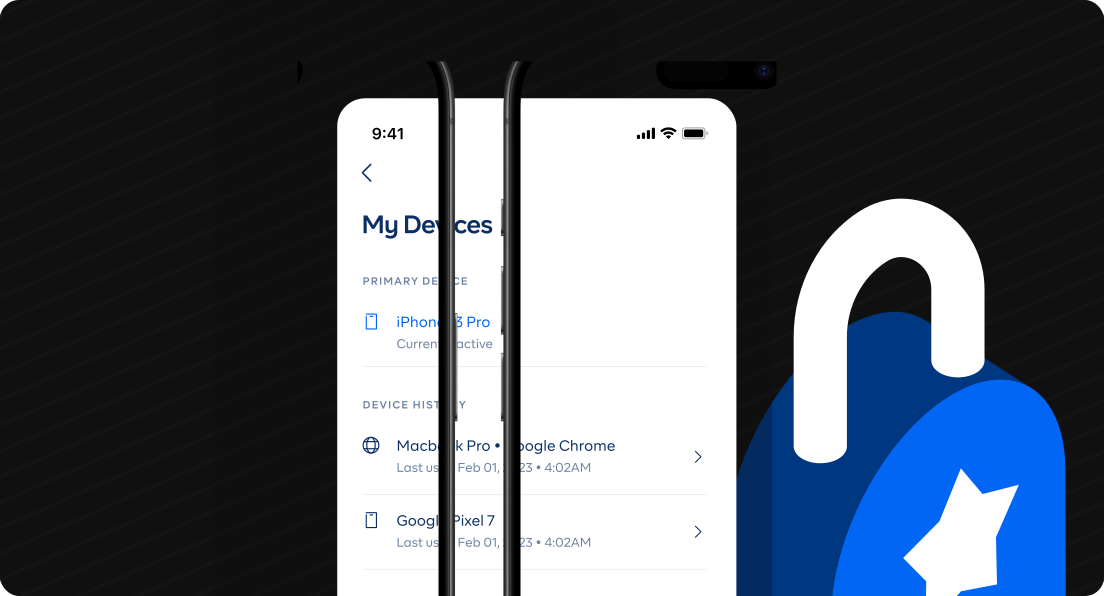
Here, one device (mostly a mobile device) acts as the “primary device” and receives tokens to authenticate sign-ins from “secondary devices”. Users can manage sign-in sessions and track details like location.
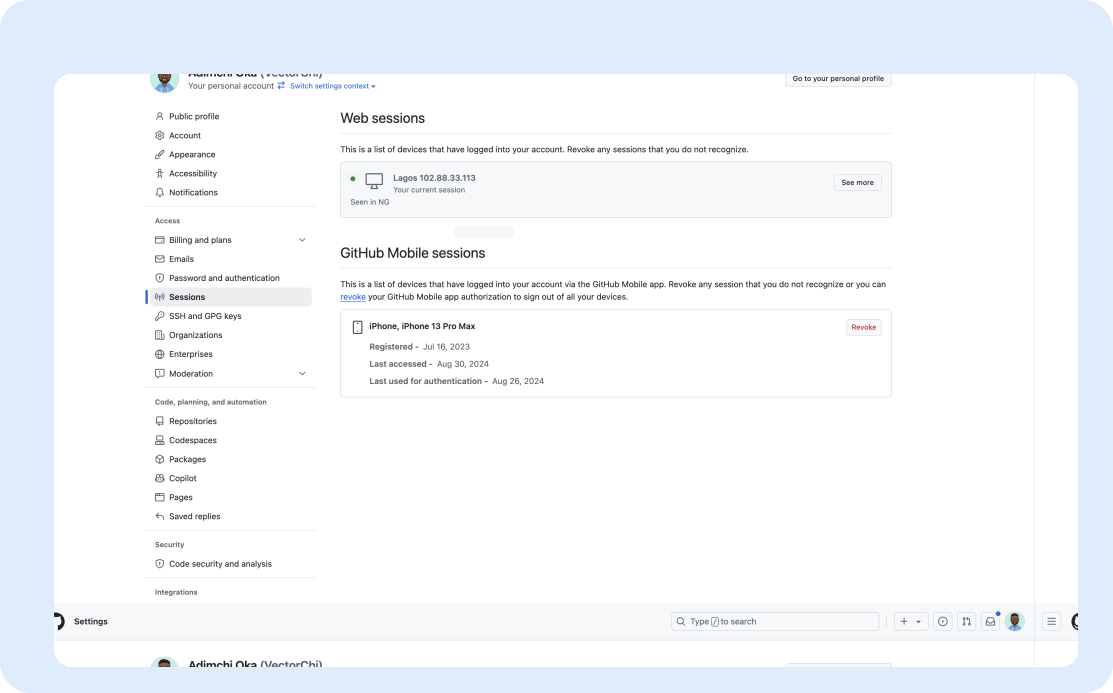
Github Sessions
Challenges
The device management is not a novel feature in itself, but we had certain challenges
- - how do we set up a primary device without impacting onboarding and conversion rates?.
- - what is the account recovery process for a missing primary device? .
Solutions
Setting up a Primary Device
A mobile device is set as a primary device on signup. Browsers were not ideal to token notifications and are also set as secondary device.
To prevent a hit to conversion rates and increasing the number of onboarding steps, I designed a flow for new customers to only set a primary device after they have funded their account or created a savings/investment plan.
This way, we ensure there is fund to protect in the first place and customers only complete steps that are necessary.
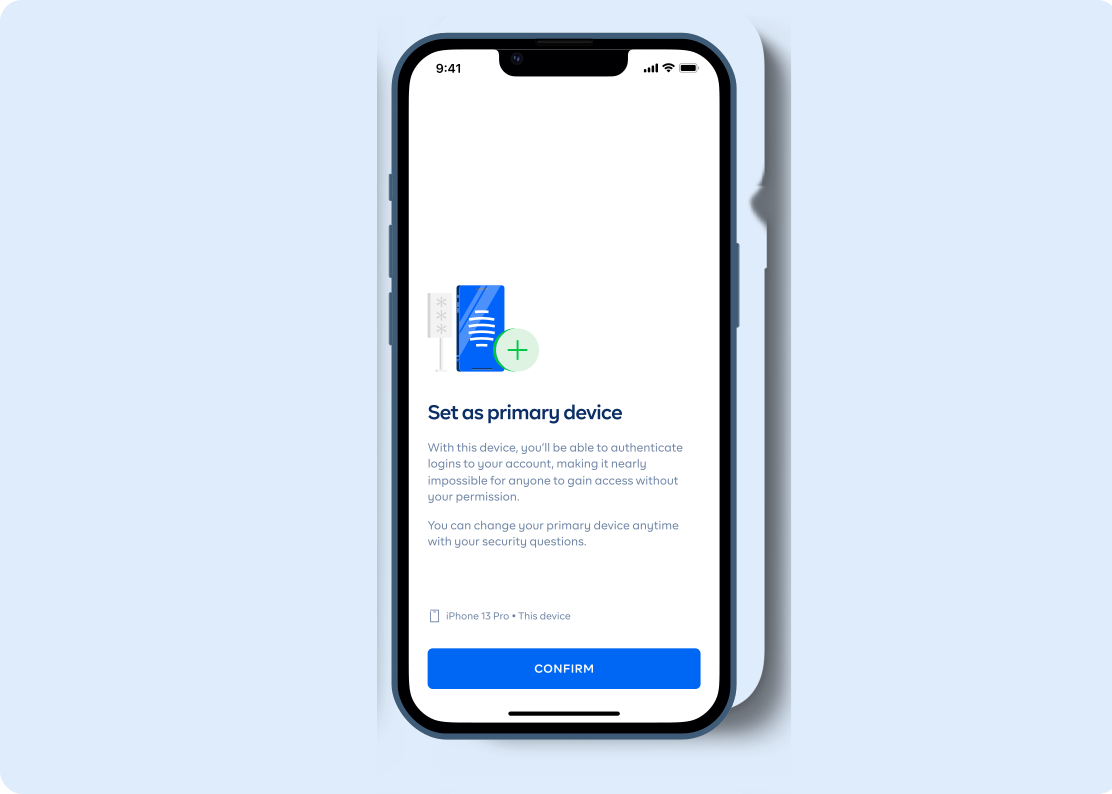
Set a primary device
Secondary Device Authorisation
Signing in from a different device would prompt for a 6-digit token. On authorisation, the device can sign in and out of the account without the need for a token for a set period.
Set a primary device
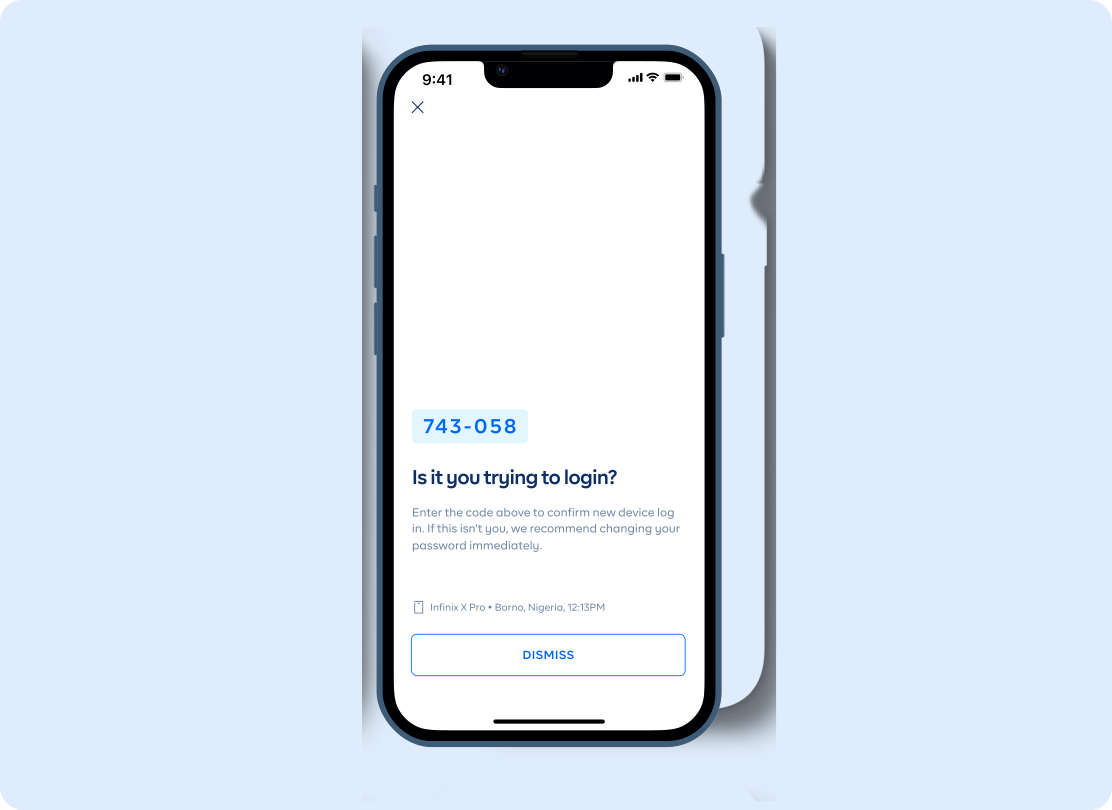
Token notification on primary device
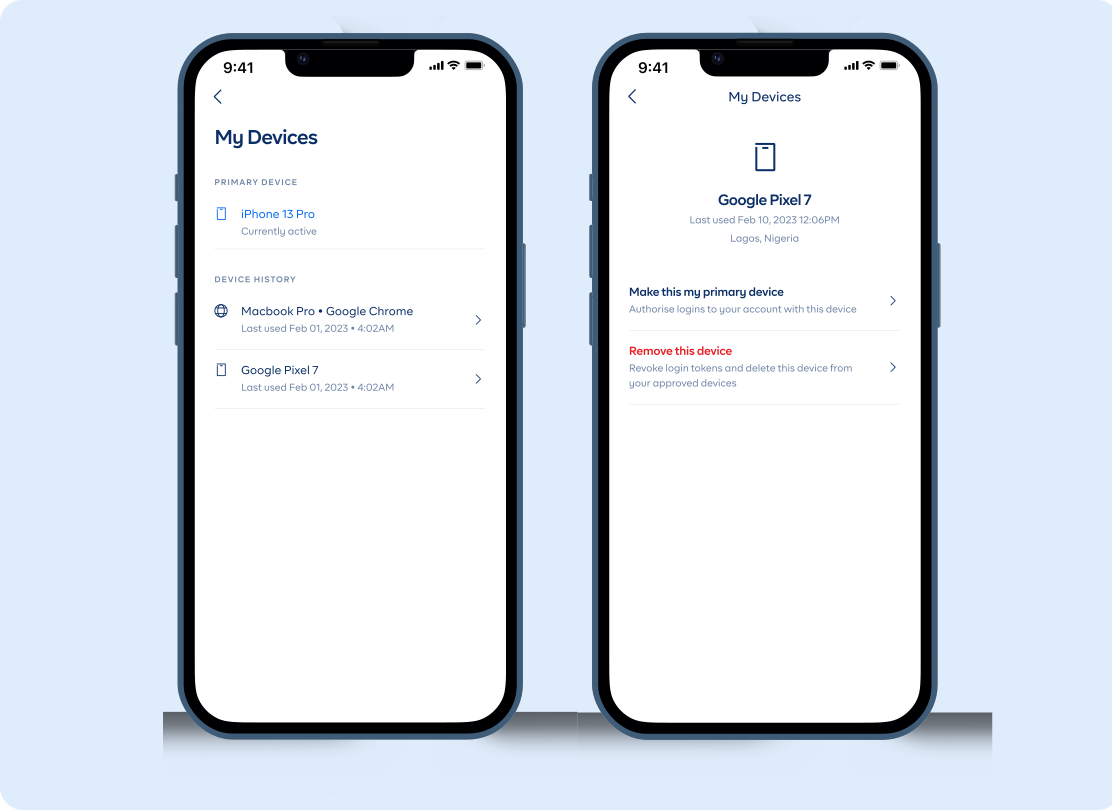
Device/Session management on primary device
Account Recovery
To set up a primary device, a customer must set up security questions. This is used to recover an account in the case of a missing device. It was also key for the team to present security question options that were personal and not complicated to answer.
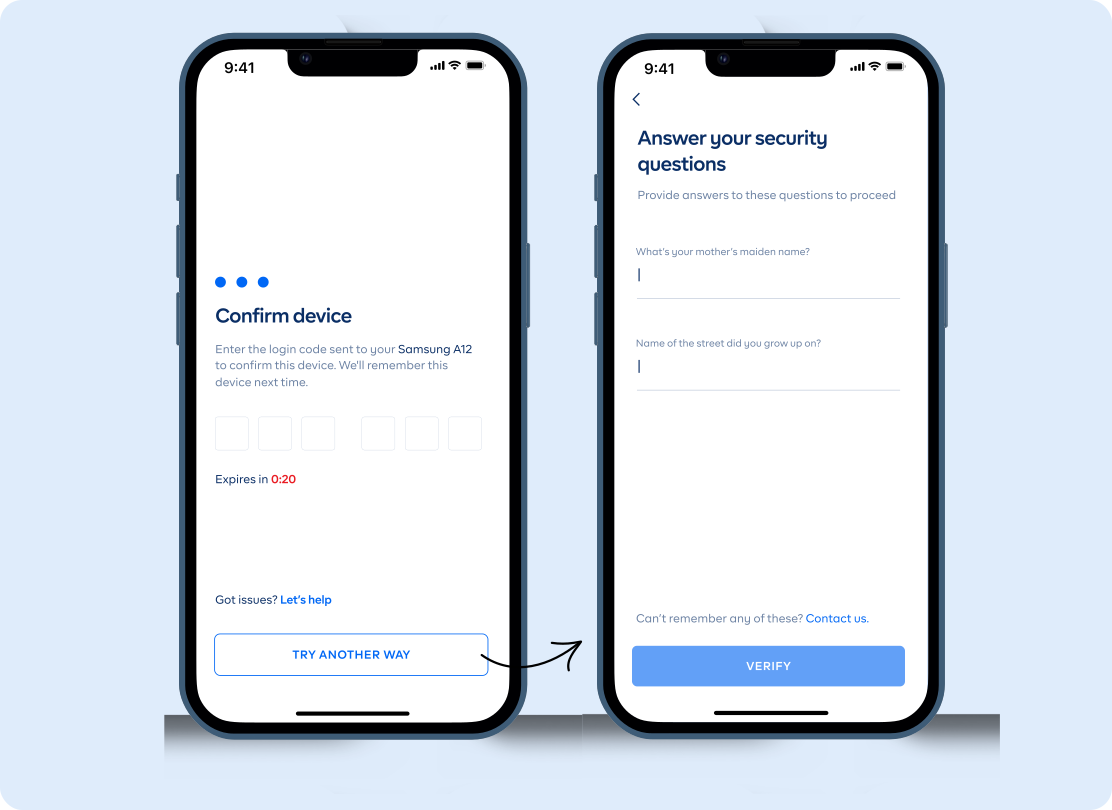
Account recovery flow
Impact and Learnings
Since the update, we have not received any report of unauthorised transactions or access. Equally, we have recorded a steady conversion rate when compared with data preceding the update.
My takeaway from the project was a well rounded understanding of user behaviour to digital security, UX tips to make difficult experiences feel transparent and seeking inspirations from unlikely sources.